
Log into the API server as cmdr-admin.
Go to the arangodbbackup directory using:
cd /opt/commander/bigstore/directorconsole/arangodbbackup
Restore a backup using:
db-restore <date_of_the_backup_taken>
Here, <date_of_the_backup_taken> must be in YYYYMMDD format. For example: db-restore 20191201
Enter the database backup number you want to restore.
Note
Every time you execute db-restore, the Director Console UI restarts.
You can also restore the backups taken from the Director Console UI in the API by entering the required backup number.
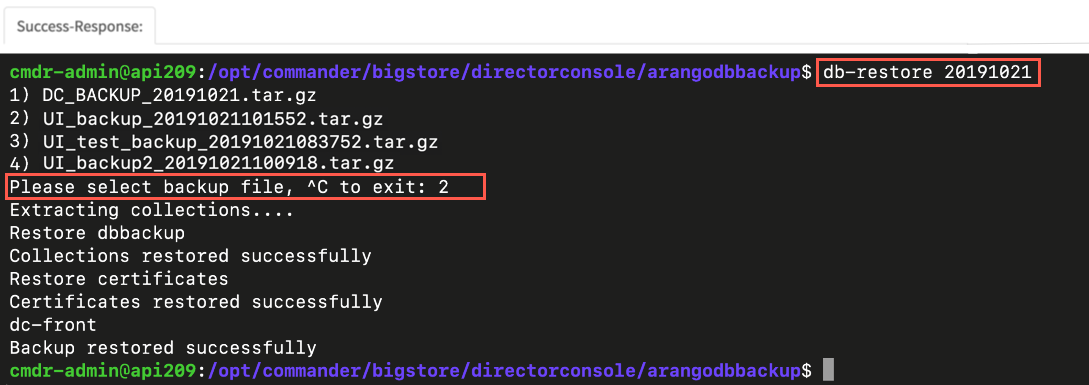
Restoring Backup of Database